



Linear Space
Linear color space means that numerical intensity values correspond proportionally to their perceived intensity. This enables proper color addition and multiplication. Non-linear spaces lack this property.
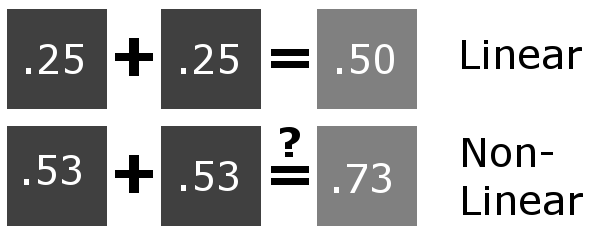
The article illustrates this with an example: doubling intensity in linear space produces correct numerical values, but in non-linear space (gamma = 0.45), simple doubling fails to achieve the desired result.
Gamma Space
Gamma correction addresses two issues: screens have non-linear intensity responses, and human eyes distinguish dark shades better than light ones. The correction applies a power function to pixel intensity, with gamma representing the exponent value.
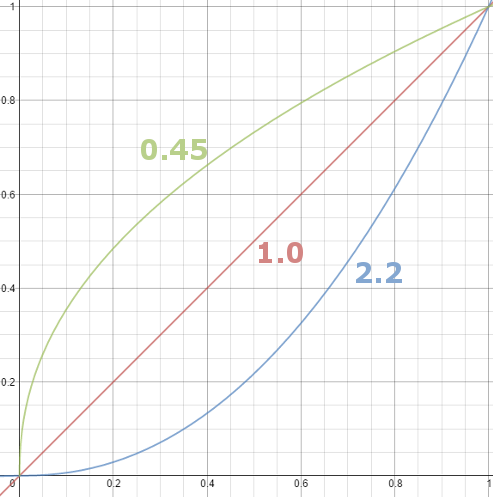
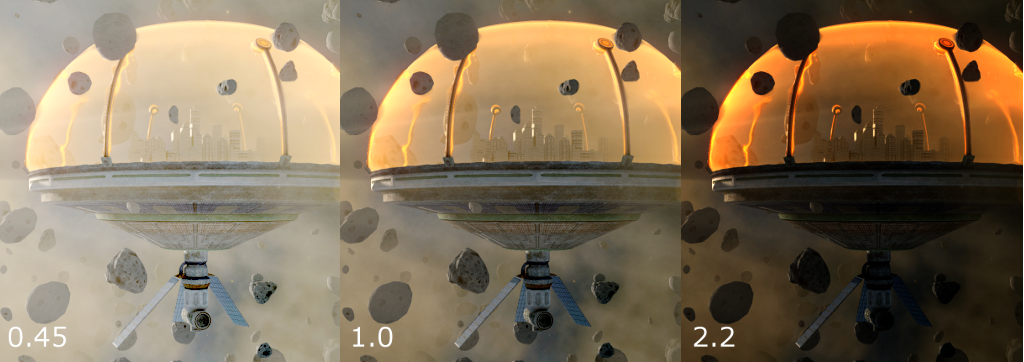
Most images store gamma of 0.45, compressing bright ranges while expanding dark ranges for better detail preservation. Neutral grey becomes 0.73 numerically rather than 0.5. CRT screens naturally apply gamma 2.2 (the reciprocal), which reverses the stored correction during display, showing properly adjusted images.
Color Spaces and Rendering Pipeline
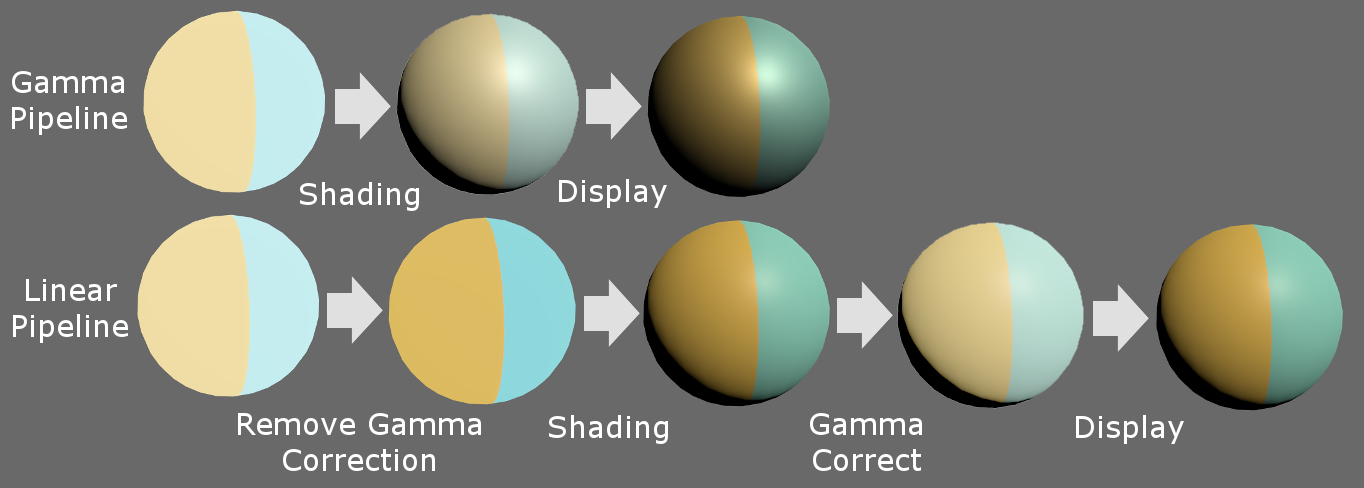
The gamma pipeline passes gamma-corrected textures through shaders for lighting calculation, then outputs to displays for gamma adjustment. However, this approach lacks physical accuracy since real light behaves linearly.
Modern practice favors linear pipelines: textures undergo gamma removal before shading, calculations occur in linear space, post-effects process in linear space, then final output receives gamma correction for display.
The linear approach produces brighter specular highlight and stronger falloff compared to gamma rendering, supporting photorealistic results.
Color Spaces in Unity
Unity defaults to gamma space on most platforms but supports linear rendering on PC, Xbox, and PlayStation. Users can switch via Edit → Project Settings → Player → Other Settings → Color Space.
When linear space is enabled with HDR, Unity performs post-effects in full linear space automatically. Without HDR, Unity uses gamma framebuffers but automatically converts values during reads and writes.
Mobile platforms require manual implementation using pow() functions in shaders to convert between spaces, though this increases computational cost.
Conclusion
Understanding gamma and linear space fundamentals prevents color management mistakes. Properly implemented linear rendering pipelines support immersive, realistic game worlds.