



Scene Fusion lets two people edit the same Unity scene at the same time for free, and up to ten for $25 per seat per month; source control lets any number of people work on the same Unity project, with Unity Version Control now free for unlimited cloud seats since March 1, 2026. Those are the two halves of the answer, because “working on the same project” means two different things: sharing the project files, which every team needs, and editing the same scene simultaneously, which needs a real-time tool. This post covers both, with prices current on 2026-09-20.
The short answer by situation
| You want to | Use | Cost on 2026-09-20 |
|---|---|---|
| Share one project among a team, each person on their own scenes and scripts | Source control: Unity Version Control, Git with LFS, or Perforce | Unity Version Control: unlimited cloud seats, 25 GB storage and 100 GB egress per month free, $0.10 per GB egress beyond that; Git: free, hosting varies |
| Two or more people building the same scene at the same time, in the Unity Editor | Scene Fusion | Free for two collaborators; $25 per seat per month up to 10 seats; LAN editions on the Asset Store |
| Non-programmers assembling interactive 3D drafts together in a browser | Unity Studio | $799 per seat per year, 30-day trial |
| One person edits a scene at a time, others wait | File locking in Unity Version Control or Perforce | Included with the source control tool |
Sharing the project: source control
Source control is the foundation. A shared repository holds the project; each person pulls the latest revision, makes changes, and merges back. Our collaboration guide covers the setup in depth; the essentials:
- Text serialization. Keep Asset Serialization on Force Text so scenes and prefabs are diffable YAML.
- A Unity ignore file. Keep
Library/,Temp/,Logs/and build output out of the repository. - Large-file handling. Textures, models and audio do not merge. Git needs Git LFS; Unity Version Control and Perforce handle large binaries natively.
- UnityYAMLMerge. Unity’s structure-aware merge tool resolves many scene and prefab merges a text merger would fail.
What happened to Unity Collaborate. It was retired; its successor is Unity Version Control (the former Plastic SCM) inside Unity DevOps. Unity’s pricing update removed per-seat charges for cloud-hosted Unity Version Control on March 1, 2026: unlimited DevOps cloud seats, 25 GB of storage and 100 GB of egress per organization per month free, with egress beyond that at $0.10 per GB. Anyone searching for Collaborate in 2026 lands here.
Source control solves sharing. It does not let two people edit one scene at the same time, because a Unity scene is a single YAML document and Unity has no built-in way for two editors to change it concurrently.
Can two people edit the same scene at once?
Teams handle the scene problem in rising order of parallelism. We first wrote about the merge problem in 2016, and in 2026 a Unity scene is still one YAML file.
Merge afterward. Two people edit copies and merge with UnityYAMLMerge. Works when changes do not touch the same objects; manual and slow when they do.
Lock the scene. One person owns the scene at a time, by convention or by exclusive checkout in Perforce or Unity Version Control. Conflicts are prevented by preventing parallel work.
Split the scene. Nested prefabs and additive scene loading break a level into pieces that different people can lock. This shrinks contention; it still does not let two people build the same area together.
Edit the scene together. Scene Fusion connects multiple Unity Editors to one live scene session. Everyone places, moves and edits objects in the same scene and sees each other’s changes as they happen; there is nothing to merge because there is one live version of the scene. When the session ends, the scene is saved and committed to source control as usual, so it coexists with Git, Unity Version Control or Perforce. The workflow guide covers a day of sessions.
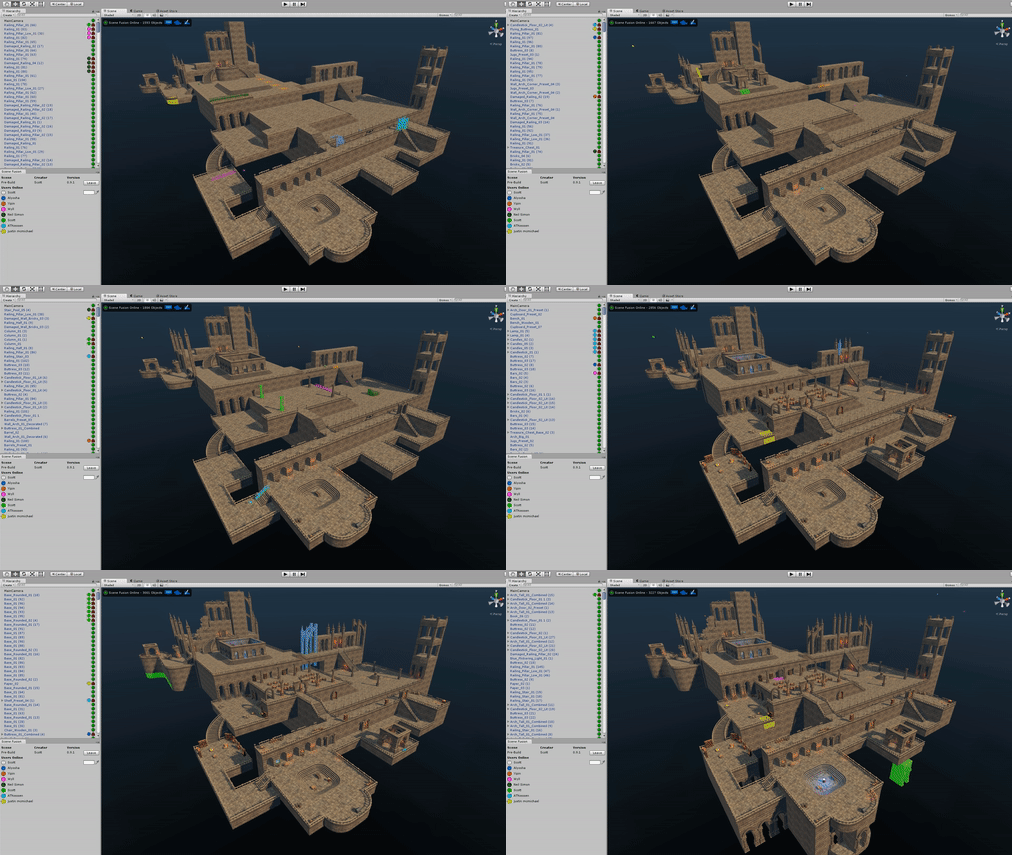
Synty Studios has built the demo scenes for its asset packs this way for years: greybox in a session, build out areas in parallel, and review live. In their words, it saves about a day per week of production time (case study).
Setting up Scene Fusion, in about a minute
- Add Scene Fusion through the Unity Package Manager (install page); the panel appears under Window, then Scene Fusion.
- Sign in with a free KinematicSoup account and create a project.
- Add collaborators from the console; they receive an email link that joins them directly to the project.
- Start a session on a scene. Teammates open the same session and the scene syncs between editors.
Scene Fusion supports Unity 2022.3 LTS and Unity 6.0 through 6.5. The cloud version routes sync through KinematicSoup’s servers; LAN editions on the Asset Store run without an internet connection.
What changed in 2026
| Change | Date | Source |
|---|---|---|
| Unity Collaborate retired; projects moved to Unity Version Control (then Plastic SCM) | data extraction deadline February 28, 2022 | Unity blog, “Why we’re upgrading from Collaborate to Unity Plastic SCM” |
| Unity Version Control: per-seat charges for cloud seats removed; 25 GB storage and 100 GB egress free per organization per month; $0.10 per GB egress beyond | March 1, 2026 (egress not charged in March and April 2026) | unity.com/products/pricing-updates; Unity support |
| Unity Studio: web-based 3D editor with real-time multi-user editing, $799 per seat per year | current on 2026-09-20 | unity.com/products/unity-studio |
| Scene Fusion: supports Unity 2022.3 LTS and Unity 6.0 through 6.5 | current on 2026-09-20 | install page |
None of these changes makes a Unity Editor scene multi-user; the scene section above still applies.
Where Unity Studio fits
Unity’s own real-time collaboration product in 2026 is Unity Studio, a web-based 3D editor where multiple people work in the same project at the same time, priced at $799 per seat per year with a 30-day trial. Unity describes it as a tool for designers, engineers and trainers building interactive 3D experiences without C#. It is a separate application from the Unity Editor and does not make Unity Editor scenes multi-user; teams building a game in the Editor still choose between locking, splitting and a real-time plugin.
A setup that works for most game teams
- Source control for the project: Unity Version Control or Git with LFS and UnityYAMLMerge.
- Text serialization on, ignore file in place, binaries under LFS or native large-file handling.
- Levels split into prefabs and additive scenes where the work naturally divides.
- Scene Fusion sessions for the work that does not divide: greyboxing, set dressing, review.
FAQ
Can multiple people work on the same Unity project? Yes. Share the project through source control (Unity Version Control, Git with LFS, or Perforce), and each person works on their own scenes and scripts and merges back. For the same scene at the same time, use a real-time editing tool such as Scene Fusion.
Can multiple people work on a Unity project at the same time? Yes, on different files through source control, and on the same scene at the same moment through Scene Fusion, which syncs the Unity Editor between collaborators. Unity itself has no built-in way for two editors to change one scene concurrently.
How do you work on a Unity project with multiple people? Set up source control with text serialization, a Unity ignore file, and large-file handling; split levels into prefabs and additive scenes; and use Scene Fusion sessions when several people need to build the same area together. Full setup in the collaboration guide.
What replaced Unity Collaborate? Unity Version Control, part of Unity DevOps, with per-seat charges for cloud seats removed on March 1, 2026. Git is the other common choice.
How do I collaborate with team members in Unity Studio? Unity Studio is a browser-based 3D editor with built-in real-time collaboration for interactive 3D drafts, priced at $799 per seat per year. It is separate from the Unity Editor; for collaboration inside the Editor on a game project, see the options above.
Does Unity have collaboration built in? For file sharing, yes: Unity Version Control is Unity’s own source control. For editing one scene simultaneously in the Editor, no; that needs Scene Fusion or a similar plugin.
Prices and product facts checked 2026-09-20. Scene Fusion is free for teams of two.